Kofax Power PDF — Tungsten Automation Logo
› English
Français Deutsch 日本語

Download Kofax Power PDF 5: The #1 Adobe Acrobat Alternative

A cost-effective PDF editor with everything you need to create, convert, edit, share and e-sign PDF files. Pay once, own forever — no subscription required. Formerly Nuance Power PDF.

Download Free Trial
Kofax Power PDF 5 Download — Software Interface and Mobile App
OVERVIEW

Download Power PDF — Trusted by 10 Million Users

Kofax Power PDF (formerly Nuance Power PDF) is an award-winning PDF editor designed to be easy to use, secure, and low cost. Enjoy a familiar, Office-style interface that gets you creating, converting and compiling your PDF documents in just minutes. Download the free trial and see why millions chose Power PDF over Adobe Acrobat.

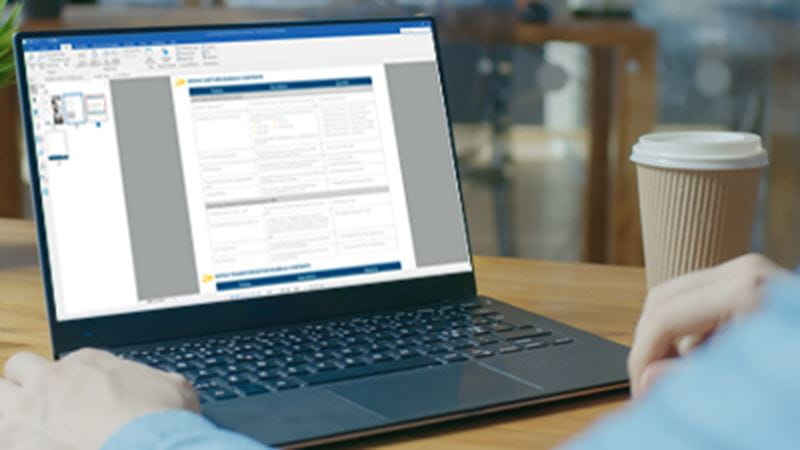
Download Kofax Power PDF — woman working with PDF software on laptop
AWARDS

Award-Winning Kofax PDF Editor

Our users have spoken, and they love how Power PDF saves them time and money, and makes their working lives more productive. Here are some of the awards earned from numerous glowing reviews.

TrustRadius Buyer\'s Choice — Kofax Power PDF TrustRadius Top Rated — Power PDF Download TrustRadius Most Loved PDF Editor Capterra Best Ease of Use 2024 — Power PDF GetApp Category Leaders 2024 — Kofax PDF G2 High Performer — Power PDF Download
BENEFITS

Why Download Kofax Power PDF Instead of Adobe Acrobat

Easy to use Kofax Power PDF interface

Easy to Use

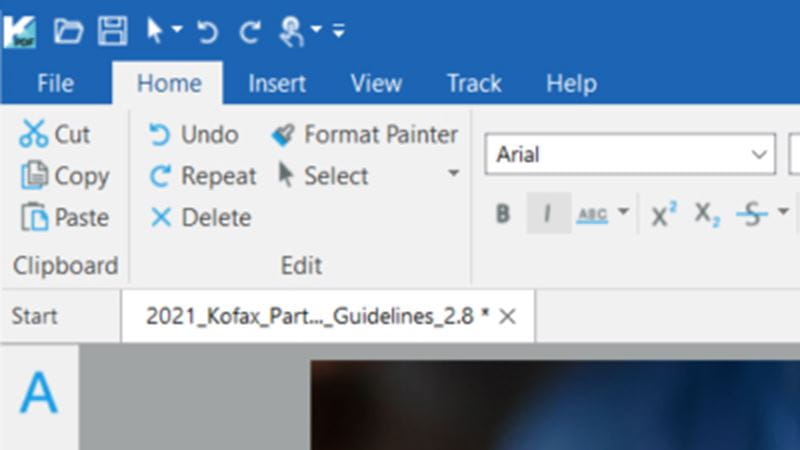
Office-style interface optimized for Windows 11 as well as Mac OS 12.0 Monterey.

PDF Conversion tools — Power PDF download

Power and Flexibility

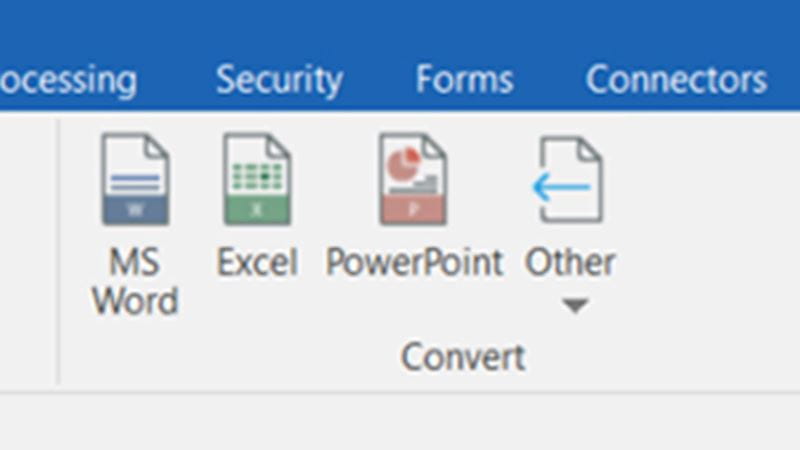
Create, edit and convert PDF files to and from Word, Excel, PowerPoint, JPG, HTML and more.

Perpetual Licensing — no subscription PDF editor

Pay Once or Over Time

Buy once and own forever with individual licenses. Flexible term-pricing available for Enterprises.

PDF Security features — Kofax download

Keep Your PDFs Secure

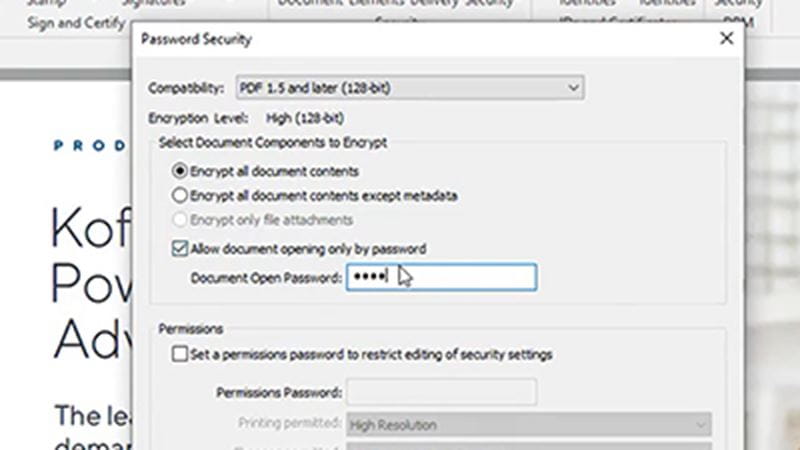
Add secure encrypted passwords and permissions, as well as redact sensitive info and private metadata.

Mobile PDF Editing — Power PDF app

Powerful PDF Editing Anywhere

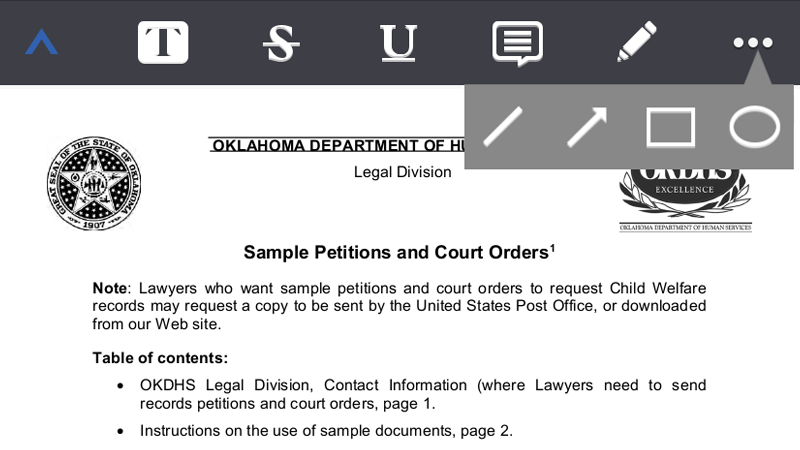
Mobile support for iOS and Android users to read, annotate, markup, sign, and share PDFs.

Electronic Signatures — Kofax Power PDF

eSignatures Made Easy

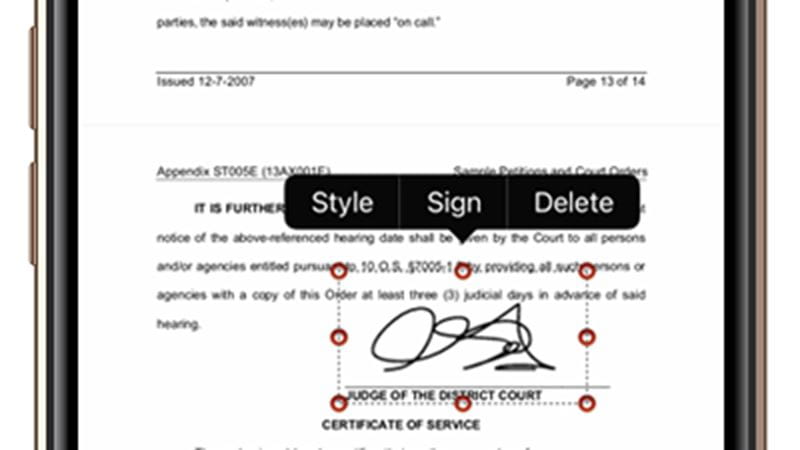
Create and apply digital signatures. Add more eSignature features with SignDoc (sold separately).

Upgrading from Nuance Power PDF?

Kofax acquired Nuance's Document Imaging division in 2019. If you own Nuance Power PDF 2, 3, or any earlier version, you are eligible for an upgrade discount to the latest Kofax Power PDF 5. Your Nuance Power PDF serial number qualifies you for exclusive pricing. Download the free trial to test compatibility before purchasing.

Download Kofax Power PDF Free Trial
Kofax Power PDF Download — App Icon

Download Kofax Power PDF for Windows

Built from the ground up for Windows stability, ease of use and simplicity, Power PDF for Windows leaves no user behind. It\'s a perfect way to manage your documents effectively on your PC. Compatible with Windows 10 and Windows 11.

Download Now
FEATURES

Kofax Power PDF Download — Full Feature Overview

Intuitive Forms
Scan paper forms and convert to interactive PDF fields, checkboxes, signature fields and more with the latest edition of our industry-leading OCR.
Highlight and Redact
Highlight or redact sensitive information from scanned documents or strike text in one step for maximum security.
Powerful Security
Encrypt documents with password protection and use certificate-based security. Identify and manage sensitive data with Microsoft Information Protection integrated with Power PDF Advanced.
Collaborate Anywhere
Create, edit and review PDFs in real-time across devices and platforms on your local network or from anywhere in the world with a self-hosted server using Power PDF Enterprise.
Connect and Scale
Deploy across your organization and connect to popular enterprise document management systems with Power PDF Enterprise.
eSign Documents
Add your digital ID or signature securely to documents. The integrated Kofax SignDoc Server in Power PDF Advanced transforms and streamlines signature workflows instantly (service sold separately).
RESOURCES

Power PDF Download Resources & Guides

PRODUCT OVERVIEW
How to Create an E-Signature With Power PDF
PRODUCT OVERVIEW
Power PDF vs Acrobat
PRODUCT OVERVIEW
How to Edit PDFs With Power PDF
WHITE PAPER
Using PDF Documents for More Secure Document Workflows
WHITE PAPER
Rogue Nation: How Many PDF Tools Occupy Your Workplace?
PRODUCT OVERVIEW
Flexible Power PDF Licensing
View All Resources >
HOW TO

How to Use Kofax Power PDF

Create & Edit

  • Create PDF
  • Edit PDF
  • Edit images/photos
  • Add Diagrams
  • Compress PDF
  • Rearrange Pages
  • Delete Pages

Combine & Split

  • Merge PDFs
  • Merge with non-PDFs
  • Batch Combine
  • Split PDF
  • Flatten PDF

Convert from

  • PDF to Word
  • PDF to Excel
  • PDF to JPG
  • PDF to PowerPoint

Convert to

  • Word to PDF
  • Excel to PDF
  • PowerPoint to PDF
  • JPG to PDF
  • Accessible PDF

Forms & Tables

  • Create Forms
  • Edit Forms
  • Add Fields
  • Tables & Bookmarks

Security

  • Setup Password
  • Redaction
  • Create/Export Certificate
  • Add Watermark

Sign

  • Create e-signature
  • Send for Signature
  • Validate Signature

Other

  • Bates Numbering
  • Add Comments
  • Add Markups
  • Tagging PDFs
  • Edit Metadata
  • Batch Workflows
  • Real-time Collaboration
Ideal for Large Organizations

Kofax Power PDF Volume Licensing for Enterprises

5 or more users with single license per organization.

Flexible network deployment, subscriber access licensing, collaboration server and custom installation package. Includes support for Citrix, Microsoft App-V and Windows Server, plus an SDK for customization.

Get a Quote Free Trial Learn More
30-Day Money Back Guarantee — Kofax Power PDF Download

30-Day Money Back Guarantee

Kofax offers a 30-day money back guarantee for the purchase price on all individual license products purchased on kofax.com, beginning on date of purchase. Excludes Power PDF Enterprise volume licensing.

SUPPORT

Kofax Power PDF Support — Download Help & FAQs

Power PDF Frequently Asked Questions

I Have a Nuance Power PDF License
What is the relationship between Nuance and Kofax?
Kofax acquired the Document Imaging division from Nuance in 2019, which includes Power PDF, PaperPort, OmniPage and several other products and services. Kofax has since rebranded to Tungsten Automation. Read more here.
Does Kofax support Nuance Power PDF customers?
For existing customers of Nuance Power PDF, PaperPort and OmniPage desktop products with a valid serial number, the technical support team does provide support, depending on which version of software you own. Learn more about what is supported here.
Can I redownload my Nuance Power PDF file?
Tech support does not maintain old product files, so if you own any Nuance version of software and you didn\'t back it up or have the original CD, then you will need to upgrade to the latest Kofax version. As an existing Nuance Power PDF customer, you are eligible for a discount. Please contact support or engage with a chat rep on any of the Power PDF pages with your serial number to get your discount code.
How do I upgrade from Nuance Power PDF to Kofax Power PDF 5?
If you own any older version of Power PDF or PDF Converter (including Nuance Power PDF 2 or 3), you are eligible for an upgrade discount. Please contact tech support or engage with a chat rep on any of the Power PDF pages to get your discount code. You can also download a free trial of the latest version to test compatibility.
I Have a Kofax Power PDF License
How can I download my Kofax Power PDF file?
After your purchase is complete, you\'ll be provided a link to download your Power PDF software from 2Checkout.com. This link is valid for two weeks only after purchase, unless you purchased download insurance which extends downloads to 24 months. Please download immediately and back it up in case you need to reinstall in the future. Because this is a perpetual license of the version available on the day you purchase, Kofax will not provide any download links after the two week period, as the software may have been updated and changed.
I\'m having trouble with the installation. What do I do?
When downloading and installing your trial, please make sure to turn off any anti-virus software. Some strict programs will block download or incorrectly flag the Power PDF .exe file as a virus. You\'ll also want to make sure you have enough storage on your computer.
Do I get updates and upgrades with my purchase?
Power PDF, PaperPort and OmniPage desktop products are perpetual licenses. This means you own the specific version of software you bought on your date of purchase. With these retail, individual licenses, there are no upgrades or updates included with the purchase. To get a future upgrade, you will need to purchase the software again. Existing customers are eligible for upgrade discounts. Contact customer support or engage with a chat rep to get your code.
How many machines can I install my Power PDF license on?
Power PDF Standard, Standard for Mac and Advanced are single licenses meant to be installed on your primary machine. Our EULA permits installation on a second machine for backup use. However, you can only use it on one machine at a time. If you get a new computer, please remember to uninstall so you can free up an activation. You may also contact customer support to assist with deactivating your old machine.
Power PDF Free Trial Download
How do I download a free trial of Kofax Power PDF?
Signup for a free 15-day trial by selecting the product you\'d like to try:
Power PDF Advanced for Windows
Power PDF Standard for Windows
Power PDF Standard for Mac
How long does the free trial last?
Your free trial lasts 15 days, after which you\'ll need to purchase a license to continue using the software.
Is the trial software the same as the full license?
Yes, all functionality and features are available to trial users. The only limitation is the 15-day duration.
Is Kofax Power PDF a subscription?
Power PDF is a perpetual license, which means once you buy a license, you own it forever. If you purchase an individual license, there are no additional monthly or annual fees. This is why many users download Power PDF as an alternative to Adobe Acrobat\'s subscription model. For Enterprise volume licenses, you have the option for an annual maintenance package which includes all updates and upgrades, as well as extended tech support.
Is Power PDF compatible with Windows 11?
Yes, and the software is fully integrated with Office 365, so you can utilize the features of Power PDF from within your favorite Office apps including Word, PowerPoint and Excel.
Buying an Individual Power PDF License
What Power PDF versions are compatible with Windows 11?
Kofax Power PDF 3.1 and higher is compatible with Windows 11 and Office 365. If you have an older version of Power PDF (including Nuance Power PDF), and upgraded Windows to v11, you may want to consider an upgrade. Please contact support or engage with a chat rep on any Power PDF web page and provide your serial number to get a discount code.
What is the refund policy?
Kofax offers a 30-day money back guarantee on Power PDF, PaperPort and OmniPage individual licenses purchased only on Kofax.com. Simply reply to your confirmation email or send an email to [email protected] within 30 days of your purchase with your order number and reason for cancellation. Your refund will be processed within three business days.
Enterprise and Volume Licenses
We\'re unable to login to the Nuance portal. What do we do?
Support is no longer provided via the Nuance Network portal since Power PDF is now owned by Kofax (Tungsten Automation). Support is now available through Kofax Electronic Fulfillment (KEF), which can be accessed at https://delivery.kofax.com. Old Nuance Network account logins and passwords will not work with KEF. You\'ll need to create a new account in KEF.
How do we renew an expiring Maintenance and Support contract?
To renew, send an email request to [email protected] and a representative will contact you.
How many servers do we need licenses for?
Power PDF Advanced Volume (for Enterprise) is contracted by number of users, not number of servers. You can install in as many locations as you choose, as long as you remain at or below the licensed number of users.
Contact Support
×

Title

Text goes here...
Create from any application: Instantly convert Word, Excel, and PowerPoint documents into high-fidelity PDF files directly from the Microsoft Office toolbar.

One-click PDF creation: Use the 'Print' command from any application that prints to create a PDF. Power PDF creates industry-standard PDF files that are fully compatible with all PDF viewers.
Edit text and images like a word processor: Power PDF's intuitive interface allows you to modify text, fonts, and images directly within the PDF file. No need to convert back to the original format.

Reflow text automatically: When you add or delete text, the layout adjusts automatically, ensuring your documents always look professional.
Resize and reposition: Easily move, resize, rotate, and crop images within your PDF documents.

Enhance visuals: Adjust brightness, contrast, and resolution to ensure your images are print-ready and optimized for digital viewing.
Insert vector graphics: Add shapes, lines, arrows, and other vector graphics to illustrate your points clearly.

Import complex diagrams: Seamlessly import Visio diagrams and other technical drawings while preserving layers and object data.
Reduce file size without quality loss: Power PDF's advanced compression algorithms allow you to significantly reduce the size of your PDF files for easier sharing via email and web, while maintaining document clarity.
Drag-and-drop simplicity: Reorder pages simply by dragging thumbnails in the 'Pages' panel.

Assemble documents: Easily move pages between different PDF documents to create new, custom compilations.
Remove unwanted content: Select and delete specific pages or ranges of pages with a single click.

Extract pages: Instead of deleting, you can extract pages to create a separate, new PDF document.
Combine files effortlessly: Merge multiple PDF files into a single, organized document.

Preserve formatting: Power PDF ensures that bookmarks, links, and form fields are preserved when merging documents.
Universal compatibility: Drag and drop Word, Excel, PowerPoint, JPG, and other file types into Power PDF to automatically convert and merge them into one cohesive PDF portfolio.
Automate your workflow: Use the 'Sequencer' or 'Batch Converter' to combine entire folders of documents automatically based on pre-defined rules, saving hours of manual work.
Divide large files: Split massive reports into smaller, manageable files by page range, file size, or top-level bookmarks.
Lock document content: Convert comments, form fields, and layers into a single, uneditable layer. This is crucial for finalizing documents before archiving or printing.
Accurate conversion: Turn static PDFs into fully editable Microsoft Word documents. Power PDF preserves complex layouts, columns, and tables better than any other solution.
Data extraction: Unlock data trapped in PDF tables. Convert them into editable Excel spreadsheets for analysis and calculation.
Image extraction: Save individual PDF pages as high-quality JPEG, TIFF, or PNG images for use in presentations, websites, or social media.
Presentation ready: Transform PDF slides back into editable PowerPoint presentations, complete with editable text boxes and images.
Integrated toolbar: Create industry-standard PDFs directly from the Kofax ribbon in Microsoft Word.
Spreadsheet publishing: Convert entire workbooks or specific sheets into PDF format with automatic page break adjustment.
Share presentations securely: Convert your slides to PDF for easy sharing without worrying about missing fonts or formatting issues.
Create searchable PDFs: Convert scanned images or photos into searchable PDF documents using our award-winning OCR technology.
Compliance made easy: Ensure your documents are accessible to people with disabilities. Check compliance with PDF/UA and WCAG standards.
Form Typer: Automatically convert static scanned paper forms into interactive PDF forms with fillable fields in just one click.
Customization: Add or modify text fields, list boxes, and drop-down menus. Set calculation orders and validation scripts.
Drag-and-drop form building: Easily add new fields to any PDF page. Right-click to set properties like required fields.
Navigation structures: Automatically generate bookmarks from Word headings to create a clickable table of contents.
Bank-grade security: Protect your documents with 128-bit or 256-bit AES encryption. Set passwords to restrict opening, printing, or editing.
Secure confidential info: Permanently black out sensitive text and images. Redaction removes the data from the file structure entirely.
Digital IDs: Use certificate-based IDs to encrypt documents for specific recipients.
Document status: Apply custom watermarks such as 'Confidential', 'Draft', or company logos across all pages.
Go paperless: Create your own digital signature using an image, a typed style, or by drawing with your mouse/stylus.
Workflow integration: Seamlessly integrate with Kofax SignDoc to send documents for legally binding signatures to external parties.
Ensure authenticity: Automatically verify the validity of digital signatures upon opening a document.
Legal indexing: Apply advanced Bates stamping with custom prefixes and numbering schemes. Essential for legal case files.
Collaboration tools: Use sticky notes, text boxes, and callouts to provide clear feedback.
Highlight and annotate: Use highlighters, cross-outs, and underlines to emphasize text.
Structure and accessibility: View and edit the PDF tag tree to ensure proper reading order for screen readers.
Search optimization: Edit document properties like Title, Author, Subject, and Keywords.
Automation engine: Create custom 'Watched Folders'. Files dropped in are automatically processed according to your rules.
Work together: Initiate a collaboration session on your local network. Multiple users can view and comment in real-time.
Secure, Legal, and Fast. Learn how adopting Kofax Power PDF's e-signature capabilities can reduce contract turnaround time by up to 80%.
Why overpay for subscriptions? This comprehensive comparison reveals why thousands of enterprises are switching from Adobe Acrobat to Kofax Power PDF. Save up to 70% over 3 years with a perpetual license.
Stop re-creating documents from scratch. Power PDF functions like a sophisticated word processor. Learn how to edit text reflow and swap images directly on the canvas.
Data breaches often start with unsecured documents. This white paper details the security architecture of Power PDF, including 256-bit AES encryption and MIP integration.
Are your employees using free online PDF tools? This report analyzes the dangers of Shadow IT PDF tools and explains how Power PDF Enterprise provides a secure alternative.
Scalability meets control. Kofax offers licensing models that fit your business. Volume Licensing, Network Deployment, and Maintenance options available.
Our unified platform transforms information-intensive business workflows by orchestrating people, robots, and systems.
Streamline accounts payable and invoice processing with automated data capture. Reduce manual errors by 90%.
Protect sensitive data and automate the generation, processing, and signing of documents. GDPR, HIPAA, and SOX compliant.
Empower your workforce with industry-leading tools like Power PDF and OmniPage.
The flagship digital transformation platform that combines capture, process orchestration, mobile, and analytics.
Cloud-based invoice processing that captures data with market-leading accuracy.
Secure, cloud-managed print infrastructure solution. Eliminate print servers.
The #1 global alternative to Adobe Acrobat. Download Kofax Power PDF to create, convert, edit, share, and e-sign PDF files. Formerly Nuance Power PDF.
Read the latest insights on digital transformation, automation trends, and tips for maximizing productivity.
See how organizations across banking, insurance, healthcare, and government are using Kofax solutions to solve real-world business challenges.
Deep dive into industry research, technical specifications, and strategic guides.
Download comprehensive guides on productivity, security, and workflow automation.
Access our 24/7 global support portal. Log tickets, track status, or chat with support.
Join the conversation with thousands of users and experts in our user forums.
Dedicated support resources, knowledge base articles, patches, and user manuals for Kofax Power PDF (formerly Nuance Power PDF).
Join a team that is shaping the future of work. Explore open positions.
Read the latest press releases, media coverage, and company announcements.
Learn about our global partner ecosystem. Become a partner today.

Global Headquarters:
15211 Laguna Canyon Road,
Irvine, California, 92618, USA

Sales & Inquiries: +1 949 346 2483